Feeds
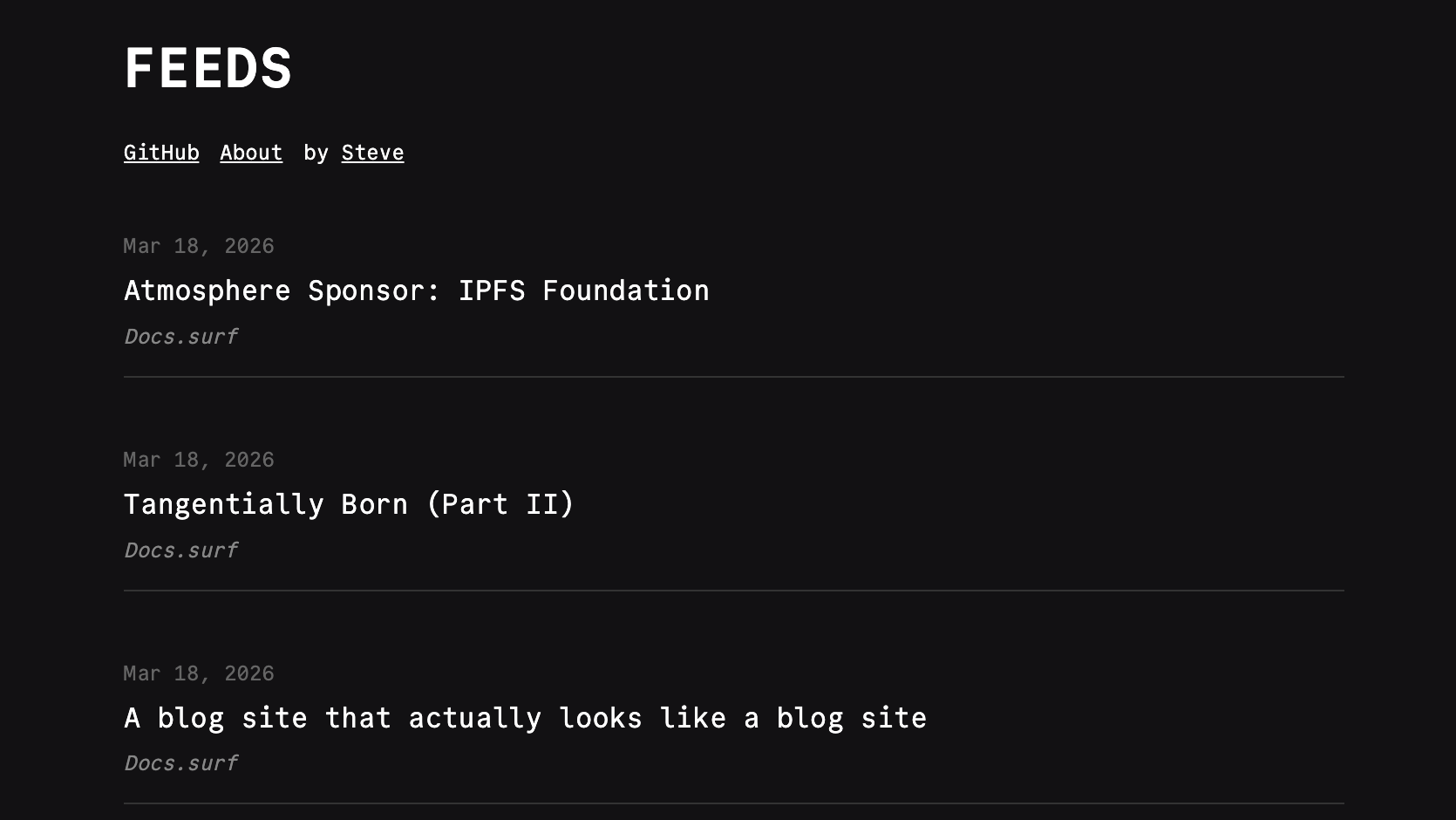
Feeds is a minimal RSS reader that mimics the original experience of RSS. It's just a list of posts. No categories, no marking a post read or unread, and there is no in-app reading. With this approach you have to read the post on the author's personal website and experience it in its original context.
- Single Go binary with embedded assets
- Local SQLite storage with a background poller (ETag /
If-Modified-Sinceaware) - Password-protected admin panel for managing subscriptions and categories
- OPML import and JSON/OPML export
- Feed discovery from any site URL
- JSON REST API guarded by a Bearer token
- Ad-hoc preview by passing feed URLs as query params
- Dark themed UI with Commit Mono font
Configure
Environment Variables
| Variable | Description | Default |
|---|---|---|
ADMIN_PASSWORD | Password for the admin panel | -- |
API_KEY | Bearer token for the JSON API at /api/* | -- |
BASE_URL | Public base URL of the app | http://localhost:3000 |
HOST | Bind address | 0.0.0.0 |
PORT | Bind port | 3000 |
DB_PATH | SQLite database path | feeds.sqlite |
DEFAULT_POLL_MINUTES | Background poll interval in minutes (overridable from the admin panel) | 30 |
ITEM_CAP_PER_FEED | Maximum stored items per subscription; older items pruned | 200 |
COOKIE_SECURE | Enable HTTPS-only cookies | false |
ADMIN_PASSWORD is required to access the admin panel. API_KEY is only needed if you want to call the JSON API from outside the browser.
Deploy
Railway
The easiest way to deploy Feeds is with the one-click Railway template. See the Deploying with Railway guide for a walkthrough of the process. Feeds requires ADMIN_PASSWORD to enable the admin panel. Attach a volume at DB_PATH to persist the SQLite database.

Docker
cd apps/feeds
cp .env.example .env
# Edit .env with your credentials
docker compose up -dBinary
Install with Homebrew:
brew install stevedylandev/tap/feedsOr grab a prebuilt binary from the releases page.
You can also build from source:
cd apps/feeds && go build .The resulting binary is self-contained with all assets embedded. Copy it to your server with a configured .env file and run it directly.
Use
Admin Panel
Set ADMIN_PASSWORD and visit /admin/login. From the admin panel you can:
- Add feeds by URL (title and site URL are auto-detected on first fetch)
- Discover feeds from any site URL
- Import an OPML file
- Organize subscriptions into categories
- Adjust the background poll interval
The poller runs automatically on launch and re-polls every DEFAULT_POLL_MINUTES (or the value saved in the admin panel). Items are deduplicated by GUID and each subscription is capped at ITEM_CAP_PER_FEED.
URL Query Param (preview mode)
You can preview any feed without subscribing by passing it via query string:
?url=https://bearblog.dev/discover/feed/You can also preview multiple URLs at once by using commas to separate them:
?urls=https://bearblog.dev/discover/feed/,https://bearblog.stevedylan.dev/feed/Pointing ?url= at an OPML file fetches and previews every feed it lists, up to 5 items per feed:
?url=https://example.com/subscriptions.opmlPreview mode bypasses the database and renders whatever the feed returns live.
Feeds Export
The /feeds endpoint exports your subscriptions in JSON or OPML format:
/feeds?format=json
/feeds?format=opmlJSON API
Set API_KEY to enable programmatic access. All /api/* routes accept Authorization: Bearer <API_KEY> or a valid admin session cookie.
| Method | Path | Purpose |
|---|---|---|
GET | /api/items | List items. Query: limit, unread, category_id, subscription_id |
POST | /api/items/{id}/read | Mark item read |
POST | /api/items/{id}/unread | Mark item unread |
GET | /api/subscriptions | List subscriptions |
POST | /api/subscriptions | Add subscription. Body: {feed_url, title?, category_id?, category_name?} |
PATCH | /api/subscriptions/{id} | Update subscription. Body: {category_id?, category_name?, clear_category?} |
DELETE | /api/subscriptions/{id} | Remove subscription |
GET | /api/categories | List categories |
POST | /api/categories | Create category. Body: {name} |
DELETE | /api/categories/{id} | Remove category |
POST | /api/import/opml | Import OPML (multipart file field) |
GET | /api/settings | Get poll interval and item cap |
PUT | /api/settings | Update poll_interval_minutes (1-1440) |
POST | /api/discover | Discover feeds for a site. Body: {base_url} |